


Pango Music Band Maker
4.115.00 Reviews
App Specs
- Version
- 1.5.0
- Updated On
- License
- $5.99
- Downloads
- 10,000+
- Developer
- Studio Pango - Kids Fun preschool learning games
- Categories
- Music
- Platform
- Android, iOS
Screenshots
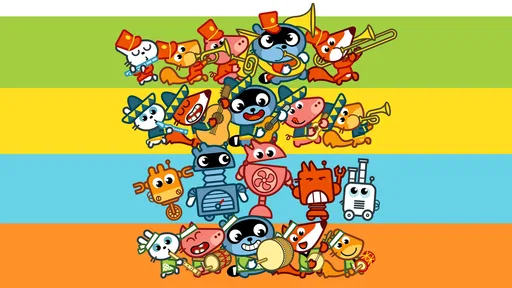
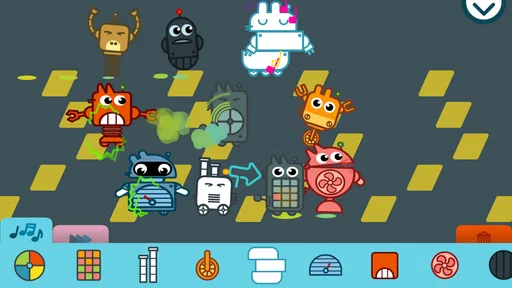
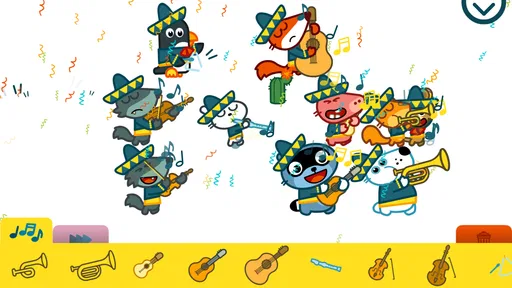
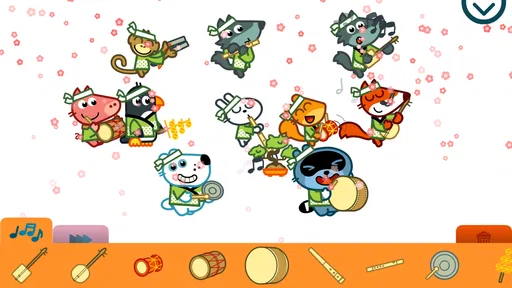
 Analysis by AppCompare
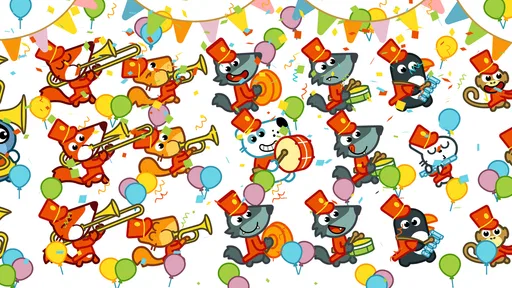
I think Pango Music Band Maker is easiest to understand as a playful first step into making music, not as a miniature recording studio. Its appeal is the quick link between choosing a character, giving that character an instrument, and hearing the group come together. That simple loop can make music feel approachable to a child who would rather explore by tapping than sit through a lesson. I would reach for it when the goal is playful discovery, shared attention, or a small creative break—not when someone wants precise control over a finished track.
A small musical activity that suits short bursts
The game works best when I treat it as an invitation to experiment rather than a task with a correct result. A child can try combinations, listen, and change direction without needing to read notation or understand music theory. That lowers the barrier to starting, and it gives a parent or caregiver an easy way to join in: ask what happens when a different character takes a part, or invite the child to choose a sound for a pretend parade.
That kind of open-ended play is useful in everyday moments. I can imagine bringing it out while waiting at home for dinner, during a quiet stretch on a rainy afternoon, or as a brief activity after a child has finished a more structured learning task. The point is not to keep a child occupied indefinitely. It is to give them a simple creative prompt that can be picked up and put down without a long setup.
For families, the most useful approach is to make the listening active. Rather than tapping randomly for a long time, take turns choosing an instrument or character and then pause to notice how the group sounds. A child can compare two arrangements, describe which one feels louder or more playful, and decide what to change next. That turns the game into a conversation about listening and choice without making it feel like a formal music lesson.
How it compares with instruments and music-making apps
Compared with a real keyboard, drum set, or child-sized instrument, this is more convenient and less demanding: there is no equipment to arrange, tune, or put away. That convenience also marks its limit. A screen-based activity cannot give the same physical experience as striking a drum, feeling a keyboard key move, or learning how breath shapes a note. If a child is eager to explore an instrument in a hands-on way, I would treat this as a companion activity, not a replacement.
It also occupies a different space from a conventional music-making app. Those tools often reward careful editing, sequencing, or control over a composition; this game is better suited to quick, character-led experimentation. That makes it less intimidating for young children, but it also means an older child or adult looking to build a detailed arrangement may outgrow the experience quickly. The right choice depends on whether the priority is playful participation or deeper control.
The strongest use case is therefore not “make a polished song,” but “try musical ideas together.” A parent can let a child lead and ask them to make the band sound cheerful, calm, or surprising. Those prompts encourage listening without implying that there is one correct answer. For a child who likes stories and characters more than abstract buttons, that framing may be more inviting than a typical music editor.
Worth Reading Before You Choose

Flipboard Shows What News Apps Must Do Beyond the Feed

Switching to Android Auto Means Rethinking Your Driving Routine

Google Calendar Makes a Crowded Week Easier to Manage

Ludo King Makes the Most of the Minutes Between Plans

Baby Panda World Brings Quick Play to Modern Phones, but Its Game Library Feels Busy

ESPN’s Live Game View Makes Following Close Games Easier
Making the most of a short session
One practical tip is to change only one thing at a time. If a child swaps several instruments and characters at once, it may be hard to tell which change affected the sound. Trying one swap, listening again, and then choosing whether to keep it makes the activity easier to follow. It also gives children a manageable way to compare choices and explain their preferences.
Another useful routine is to give each session a tiny purpose: build a band for a pretend walk, pick sounds that fit a made-up character, or decide which arrangement feels like a gentle start and which feels more lively. These prompts keep exploration focused without turning it into a test. They can also help a caregiver judge when the child has had enough; once interest fades, there is little reason to stretch the activity into a longer sitting.
Because recording is part of the experience described in the game, a saved session can serve as a simple way to revisit a child’s choices. I would use that feature as a listening prompt—play a recording back and ask what the child remembers choosing—rather than assume it is a full project archive or a substitute for a music-production workflow. The value is in hearing and reflecting on a playful result, not in expecting studio-style editing.
Getting Started with Pango Music Band Maker
First things first, let's talk about the vibe. When you open the app, you're greeted with a colorful, inviting interface that's as friendly as your favorite childhood cartoon. It's like stepping into a world where music is the universal language, and everyone’s invited to jam.
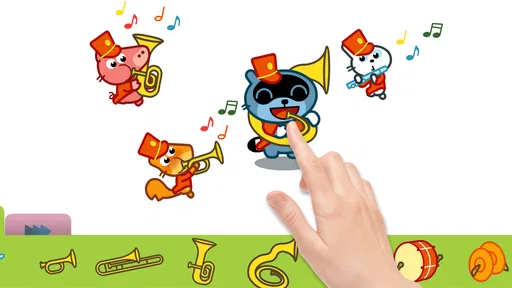
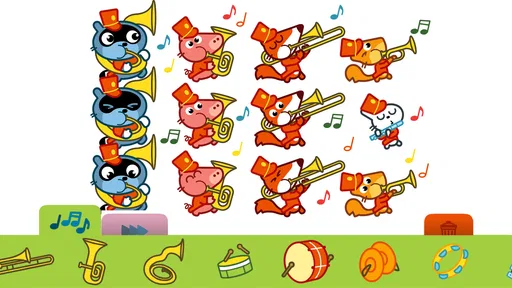
Setting up your band is as easy as pie. You start by selecting characters, each armed with their own unique instrument. Whether you're into drums, guitar, or something a bit more exotic, Pango Music Band Maker has a little something for everyone. The characters are adorable and animated in a way that makes every interaction feel lively and engaging.
Exploring the Features
Now, let’s dive into what makes this app a standout. One of the coolest features is the ability to swap instruments between characters. This flexibility means you can mix and match until you find your perfect sound. The instruments are vibrant and varied, from electric guitars to saxophones, each with distinct sounds that’ll have you tapping your feet in no time.
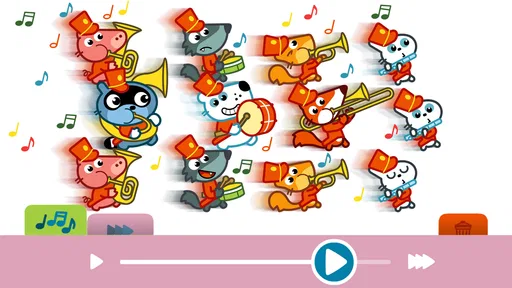
Another neat aspect is the ability to record your sessions. This means you can actually save your masterpieces and listen back to them whenever you need a little pick-me-up. It's a fantastic way to see how your band evolves over time, and who knows, you might even discover a hidden talent!
Why You'll Love It
Let’s be real for a second. We all love a bit of fun, and Pango Music Band Maker delivers it in spades. The app is designed to be intuitive, so you don’t need to be a music theory expert to enjoy it. Just tap, swipe, and let your imagination run wild.
One thing that really stands out is the educational value. Kids can learn about rhythm, melody, and different musical instruments, all while having a blast. It's a sneaky way to get them interested in music without them even realizing it!
Current fit, price, and audience
This is a paid music game from Studio Pango - Kids Fun preschool learning games, aimed at a young audience and rated Everyone. At $5.99, I would think of it as a small, focused activity rather than a broad music library: the value depends on whether a child returns to arranging the characters and listening to the results. It has a 4.1 average from around 200 ratings, which offers a modest signal of how other players have received it, but I would still decide based on the kind of play your child enjoys.
The game has been available since July 17, 2019, and its current version is 1.5.0. Those details tell me the product has an established history and a current version, but they do not by themselves show what changed between releases. I would avoid assuming that a newer version means a particular new instrument, feature, or redesign. For someone already using it, the practical question is simply whether the current experience continues to suit the child’s age and interests.
Its reach is also relatively modest beside household-name music apps, with over 10,000 installs. That is not a quality verdict; it just means I would approach it as a niche children’s activity rather than a widely tested, all-purpose music platform. The minimum operating-system requirement is Android 6.0, useful to check before purchase if the game is intended for an older device.
Where the experience may fall short
The same simplicity that makes the game approachable can limit its staying power. Children who want a clear sequence of goals, a growing set of challenges, or a more substantial musical curriculum may find that free-form arranging is not enough to hold their attention. Likewise, an adult hoping to compose a structured song should look for a tool designed around editing and arranging rather than expect this game to provide that depth.
I would also keep expectations realistic about what a child learns. Trying instruments and comparing sounds can encourage curiosity and listening, but it is not the same as systematic instruction in rhythm, melody, or technique. If a child is preparing for lessons or wants to learn an instrument, this can be a light supplement; it should not stand in for practice with a real instrument or guidance from a teacher.
For a shared-device household, it is worth thinking about the play setting as well. A child may enjoy making repeated changes and replaying a favorite arrangement, while a caregiver may prefer a defined stopping point. Agreeing on a short session before handing over the device helps keep the game in the role of a brief creative activity instead of an open-ended screen-time default.
Who should choose it—and who should pass
I would recommend it most readily to a preschool-age child who responds to colorful characters, enjoys sound-making, and is happy to experiment without a score or a lesson plan. It may also suit a caregiver looking for an activity they can participate in without needing musical expertise. The interaction gives an adult an easy role: help the child compare choices, encourage them to listen, and let them decide what the band should sound like.
I would be more cautious if the child mainly wants a game with levels and goals, or if they already spend time in a more advanced music app. A child who prefers physical play may get more from toy instruments or a real beginner instrument, while a budding producer may need a more capable composition tool. In both cases, the mismatch is about purpose, not a flaw: this game is focused on accessible musical play.
Before buying, I would ask one simple question: does the child enjoy making up sounds and stories, even when there is no right answer? If yes, the character-and-instrument approach is likely to make sense. If they need a strong progression system or want to learn a specific instrument, I would put the money toward a different option that better matches that goal.
What to watch as it evolves
For existing users, the version number is a useful reference point when checking that the installed app is up to date, but I would not read a feature roadmap into it. The release date and current version are fixed reference facts; they do not establish which additions or changes arrived along the way. If the game remains part of a child’s routine, the most meaningful measure of its continued usefulness is whether the child still enjoys returning to the band-making activity.
When considering a future update, I would pay attention to practical changes that affect this particular kind of play: whether the experience remains easy for a young child to navigate, whether existing recordings still fit the family’s routine, and whether any new complexity improves exploration rather than making it harder to start. Those are sensible things to look for, not promises about what a future release will contain.
Final Thoughts
Wrapping things up, Pango Music Band Maker is a delightful app that’s perfect for anyone looking to dip their toes into music creation. It's charming, user-friendly, and packed with features that keep things fresh and exciting.
Whether you're a parent looking for a fun educational tool for your kids or just someone who loves to play around with music, this app is definitely worth checking out. So, grab your virtual instrument and start jamming—you never know, you might just create the next big hit!
Ready to unleash your musical potential? You can download Pango Music Band Maker from your favorite app store and get started on your musical journey today. Happy jamming!
Pros
- Intuitive interface for easy music creation.
- Wide variety of instruments available.
- Engaging animations keep kids entertained.
- No in-app purchases or ads.
- Offline mode for uninterrupted play.
Cons
- Limited to children's musical interests.
- No option for exporting completed tracks.
- Lacks advanced editing features.
- Graphics may not appeal to older kids.
- Sound quality is basic
- not professional.
FAQs for Pango Music Band Maker
What is Pango Music Band Maker, and how does it work?
Pango Music Band Maker is an interactive app designed for kids to create their own music bands. Users can choose from a variety of instruments and characters to create unique musical compositions. The app provides an engaging interface where children can experiment with different sounds and rhythms, fostering creativity and musical exploration.
Is Pango Music Band Maker suitable for all age groups?
While Pango Music Band Maker is primarily targeted towards young children, typically ages 3 to 7, older kids and even adults might find it entertaining. The app's simple design and intuitive controls make it easy for children to navigate on their own, encouraging independent play and creativity.
Does Pango Music Band Maker require an internet connection?
No, Pango Music Band Maker does not require an internet connection to play. Once downloaded, all features are available offline, making it a great option for entertainment during travel or in areas with limited internet access. This also ensures a safe environment for children to play without online distractions.
Are there any in-app purchases or advertisements in Pango Music Band Maker?
Pango Music Band Maker is designed to provide a safe and ad-free experience for children. However, some features or additional content might be available through in-app purchases. It's advisable for parents to review these options and manage settings accordingly to ensure a controlled environment for their kids.
What platforms is Pango Music Band Maker available on?
Pango Music Band Maker is available for both Android and iOS devices. Parents can download the app from the Google Play Store or the Apple App Store. It's compatible with most smartphones and tablets, ensuring a wide range of devices can support the app for easy access to musical fun.


